 Your iMessage companion
Every text. Remembered.
Search your entire iMessage history, pin the moments that matter, and right-click any message to ask what it means.
$39 once — yours for goodAI optional, $10/monthApple siliconAuto updatesYour archive stays on your Mac — AI only sees the message you ask about
Already bought it? Download it again
What you're looking at
Your texts on the left. Ask AI about them on the right.
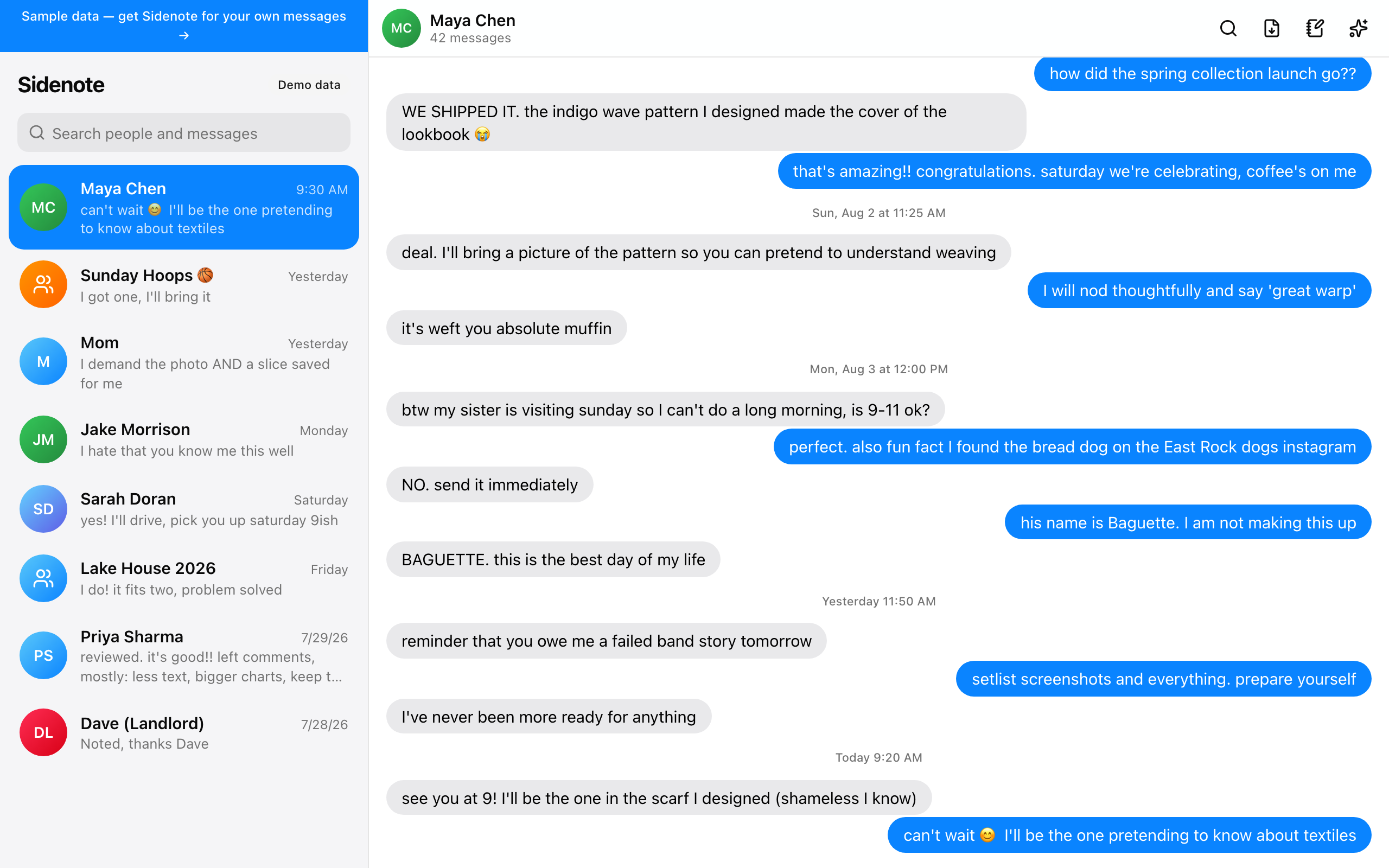
This is Sidenote with a conversation open and the Ask AI panel pulled out beside it. Type a question — “why do we call that dog Baguette?” — and it searches the whole history of that thread, years back, and answers from the actual messages, citing the day. Search, pins, notes, and export are yours for $39; AI is an optional $10/month on top.
Maya Chen
✕wait, why do we keep calling that dog Baguette?
On Aug 11 you found the “bread dog” on the East Rock dogs Instagram and told Maya “his name is Baguette. I am not making this up.” She declared it the best day of her life — it's been a running joke since.
Ask about Maya Chen…↑
Everything you texted, one click away
Search, pins, notes, AI explanations, reply drafts, and clean exports — all working from the archive already sitting on your Mac.
New — AI that knows your history
Ask about any conversation
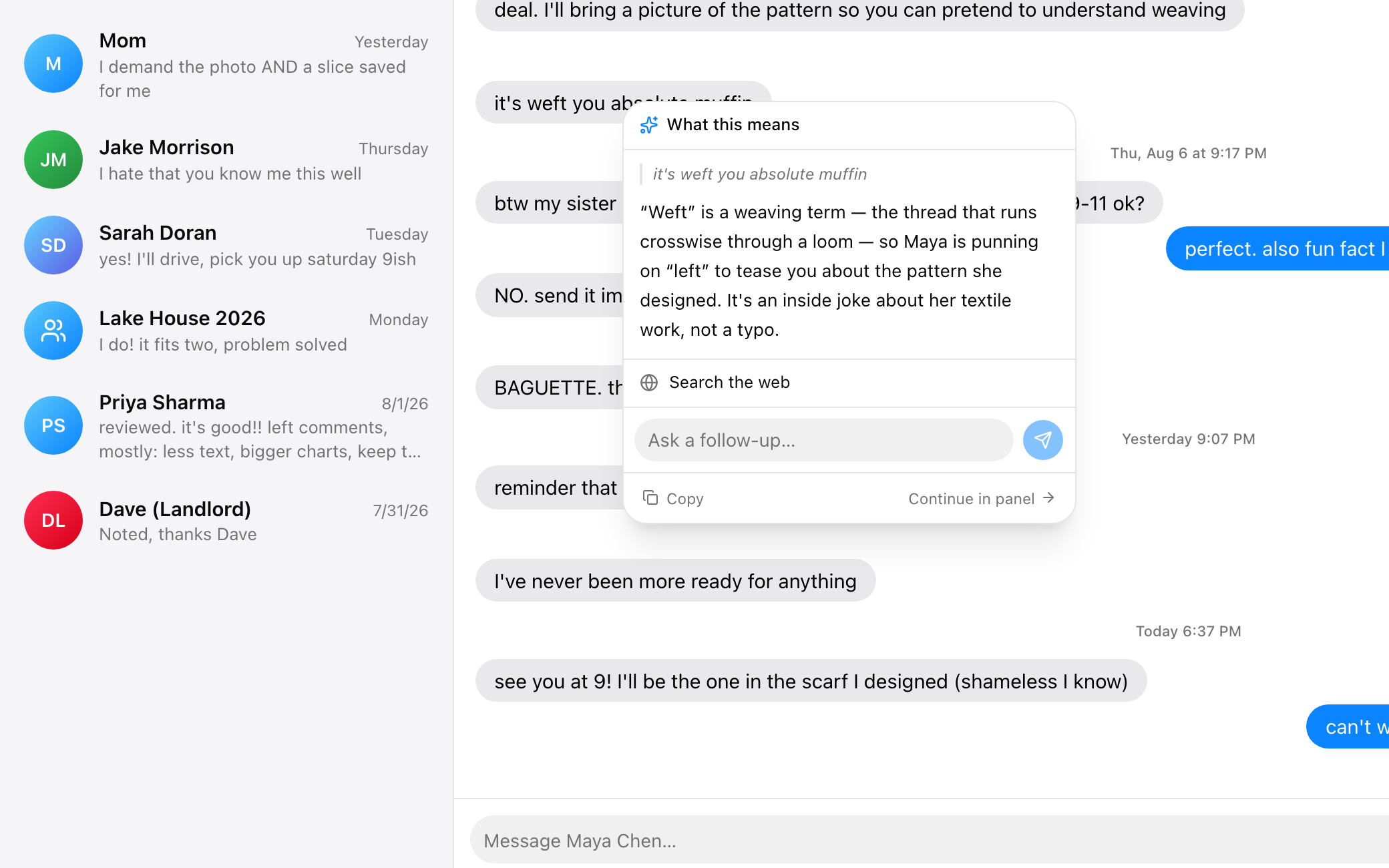
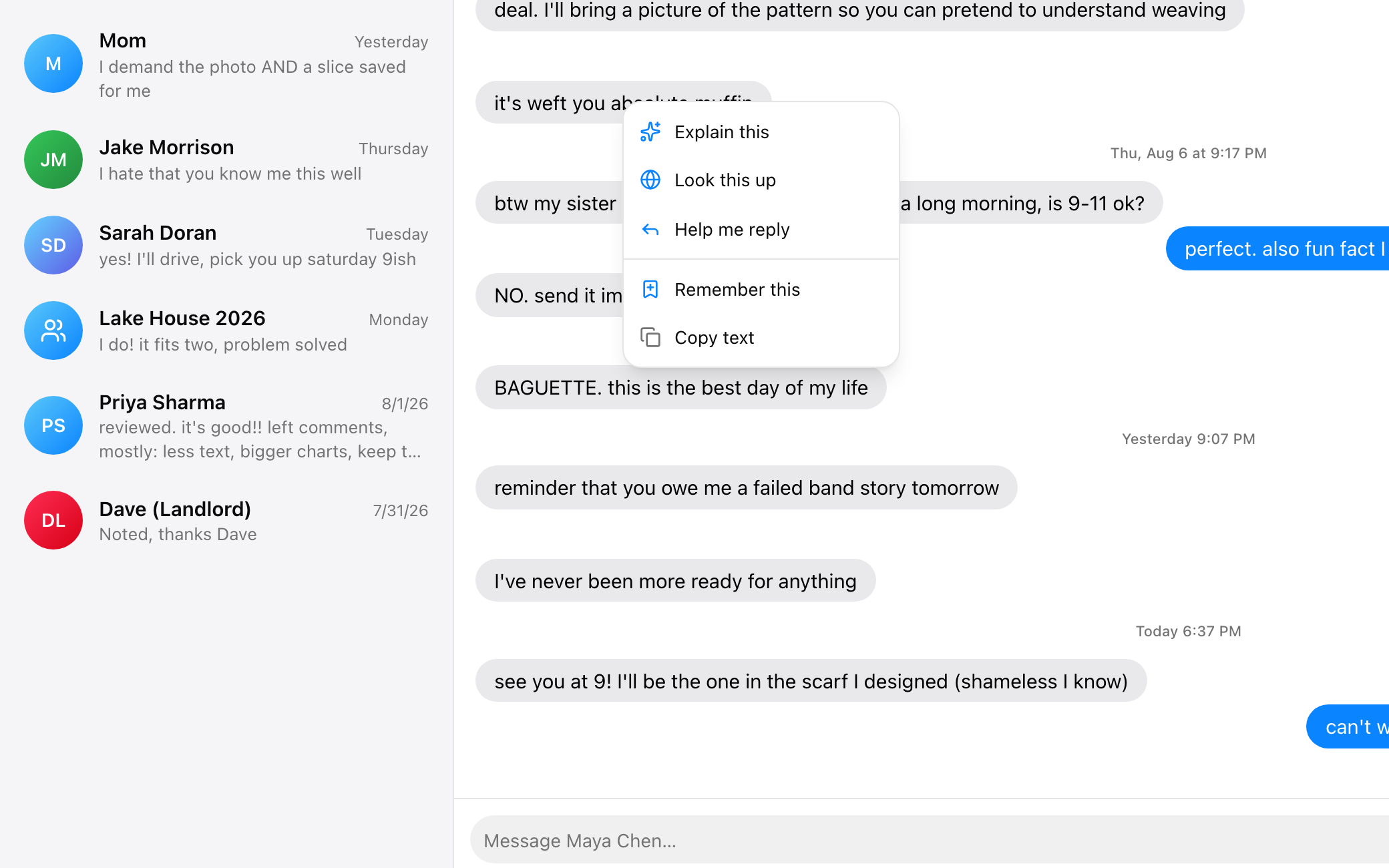
Open the Ask AI panel on a thread and ask anything — about last week or ten years ago. Sidenote searches the whole history and answers from the actual messages. And right-clicking any single message explains it, looks it up, or drafts your reply.
Ask about Maya Chen
when did Maya ship her pattern?
Sun, Aug 2 — “WE SHIPPED IT.” The indigo wave pattern made the cover of the lookbook, and you two celebrated that Saturday over coffee.
Ask about Maya Chen…↑
Ask what a message means
Right-click any text and Sidenote decodes it — slang, references, tone, in-jokes — using the conversation around it. The answer opens on the message, with a box for follow-ups.
Look it up, or draft the reply
“Look this up” identifies a name, band, place, or event, searching the web and your own history. “Help me reply” drafts a response that sounds like you.
Search everything
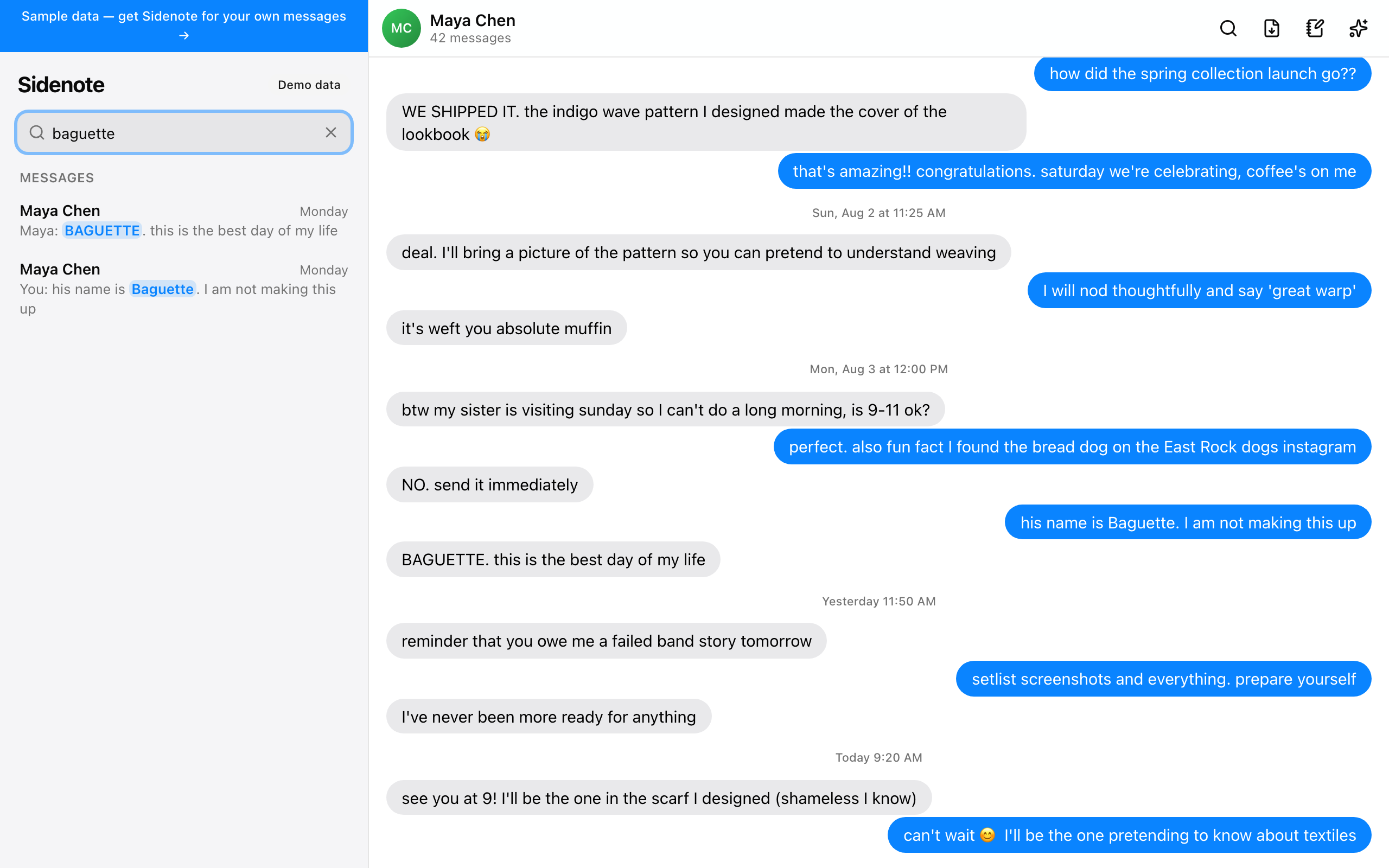
Instant full-text search across every conversation you've ever had. Click a result to jump to that exact moment.
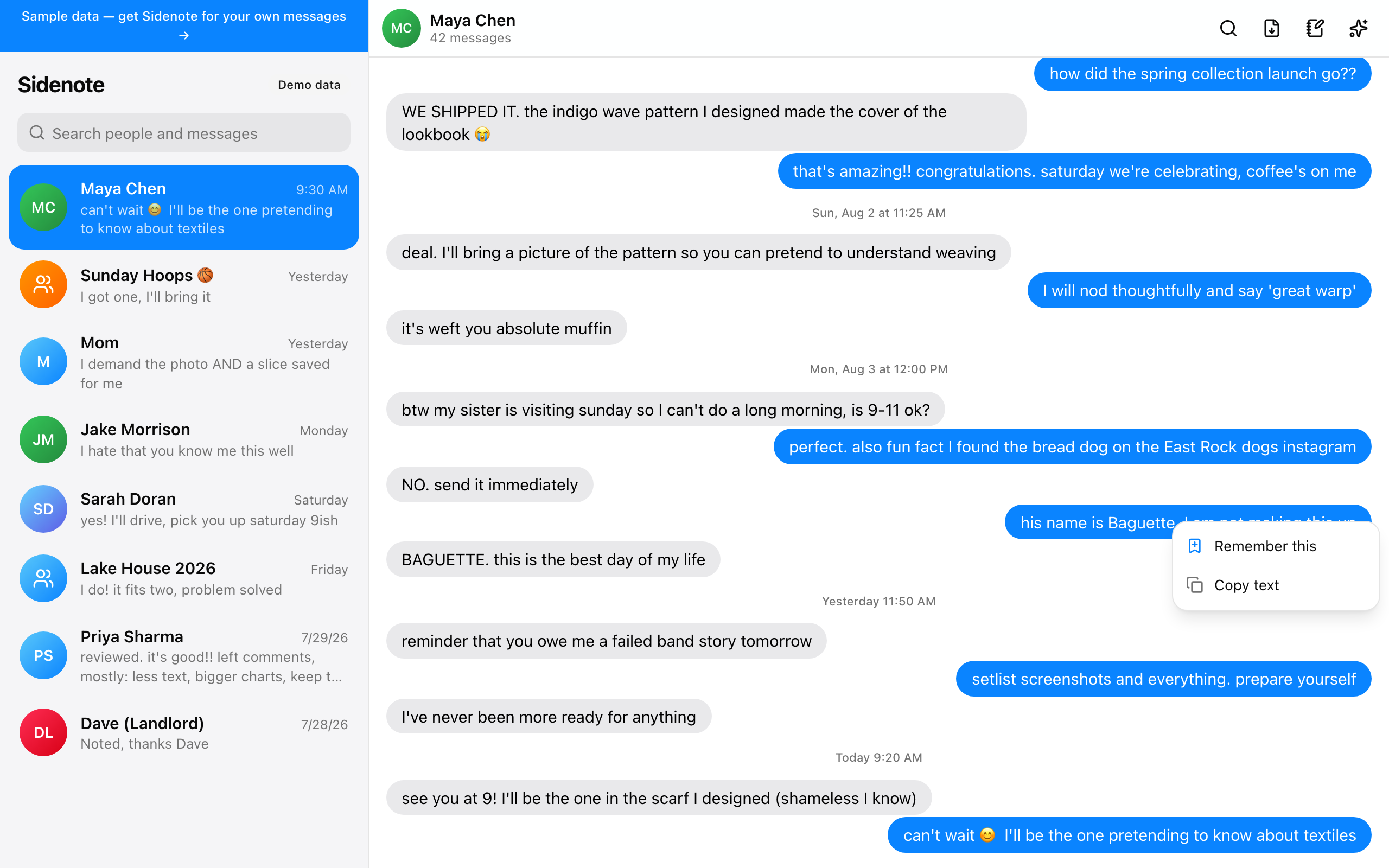
Remember any message
Right-click a message and hit “Remember this.” No retyping, no screenshots.
Notes on every person
Saved messages and your own notes live side by side — a private memory for each relationship.

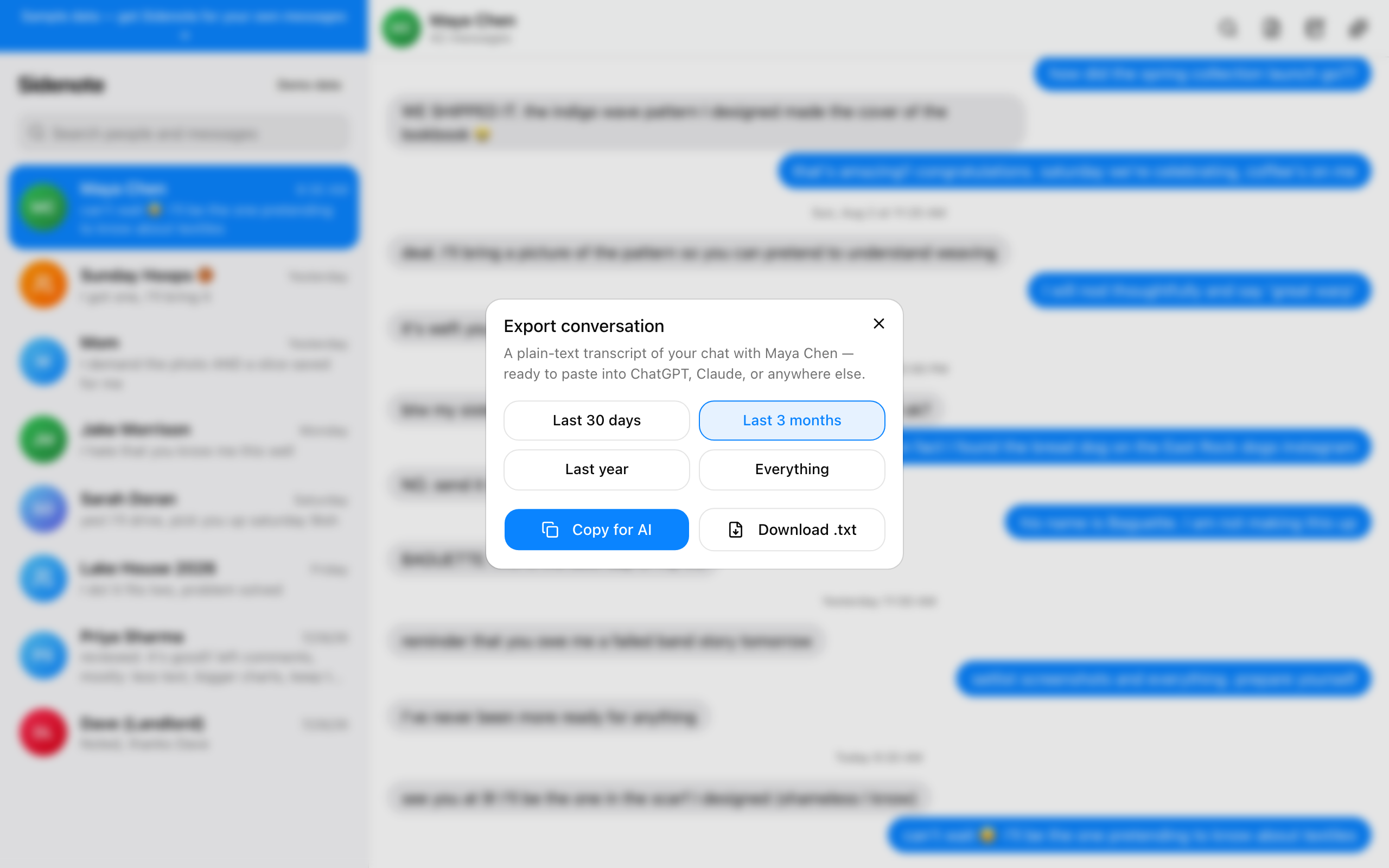
Export any conversation
Copy a clean transcript of any time range, ready to paste into ChatGPT or Claude.
Pricing
Buy it once. Yours for life.
One payment, no subscription for the app — every update included, forever. AI is the only monthly thing, and it's optional.
Sidenote for Mac
$39one-time · lifetime
- Search every text you've ever sent
- Pin the moments that matter
- Notes on every person
- Clean exports of any conversation
- Every update, no upgrade fee
- Everything stays on your Mac
AI, optional
$10/ month
- Explain any message — slang, tone, in-jokes
- Ask about a whole conversation, years back
- Look things up, with the web and your history
- Reply drafts in your voice
- Turn on or off inside the app, any time
- Only the message you ask about is sent
Added from Settings → AI after you install
Secure checkout by Stripe · Mac with Apple silicon (2021 or later) · Cancel AI whenever
What's new
Sidenote keeps getting better
Sidenote has an account now — and AI is built in
- Unlock once by signing in with the email you got Sidenote with — a 6-digit code arrives by email, no password, and this Mac stays unlocked
- AI no longer needs your own API key: turn it on in Settings → AI ($10/month, cancel any time) and Explain, Look up, Reply drafts, and Ask-a-thread just work
- Manage or cancel the AI subscription right from Settings; your own Anthropic key still works as before if you prefer it
- Download your copy again any time at sidenote.lol/download — sign in with the same email
- Existing invite-code users: nothing changes for you — your access carries over, no account needed
Right-click any message and ask what it means
- “Explain this” decodes slang, references, and tone using the messages around it — the answer opens right on the bubble, with a follow-up box
- “Look this up” identifies a name, band, place, or event; “Help me reply” drafts a response in your voice
- Questions about a thread now search its entire history instead of the last few days
- Embed a conversation to make search find things by meaning, not just wording — runs on your Mac, keeps going in the background, and stays current on its own
- AI now runs on Claude with your own Anthropic key (Settings › AI); the 17 GB local model is gone
- Paste a screenshot into the AI chat and ask about it
- sidenote.lol is the homepage again — the live demo has its own page, and Sidenote opens as a Mac app rather than a browser tab
- The update banner can be dismissed, and points at the download when a new version ships
Full Disk Access setup that actually works
- Sidenote offers to move itself into Applications on first open — one click
- Opened straight from the download, macOS runs apps from a temporary copy where the permission can never stick; Sidenote now spots that and says so
- The setup steps point at Sidenote itself in the permission list, not the engine file inside it
- Fixed the setup panel spilling outside its window
Sidenote is now a real Mac app
- Download it from sidenote.lol, drag it into Applications, done — no Terminal, no installer command
- Signed and notarized by Apple's checks, with its own window, Dock icon, and ⌘-Tab presence
- At the time, everything ran on your Mac including AI, through a local Ollama model — replaced on Aug 8, 2026
- Already installed the Terminal way? The app takes over seamlessly — your synced messages stay put
Contact photos and read receipts
- Your contacts' real photos now appear on threads — in the list, chat headers, and search
- Group chats show each sender's photo next to their messages
- Sent messages show “Read” with the time once the other person has seen them
- Photos come straight from your Mac's Contacts during sync — nothing to set up
Live threads, sending, and photos
- New texts appear on their own, seconds after they arrive — no Sync button
- Reply right from Sidenote: messages send through your real iMessage account
- Photos and attachments now show up in conversations (HEIC included)
- Links get rich previews with images, like the real Messages app
Sidenote updates itself
- An update banner appears in the app whenever a new version ships
- One click in Settings pulls, rebuilds, and relaunches — no Terminal
- What's-new notes right here on the homepage
Ask AI sees your whole history
- Questions now search the entire conversation — years back, not just recent texts
- Exports no longer have a size limit: the full thread, however big
- A bigger recent-context window for summaries and answers
Way easier setup
- Full Disk Access is now a guided two-step: flip one switch, click restart
- Sidenote starts at login and keeps running
- In-app Settings, with sync status at a glance
Already installed? Sidenote offers new versions right in the app — one click, no Terminal.